Movie Merge
A while ago I bought a Charmera which is a fun gimmicky toy camera. I like the lo-fi early 00s digital camera aesthetic you get from it.
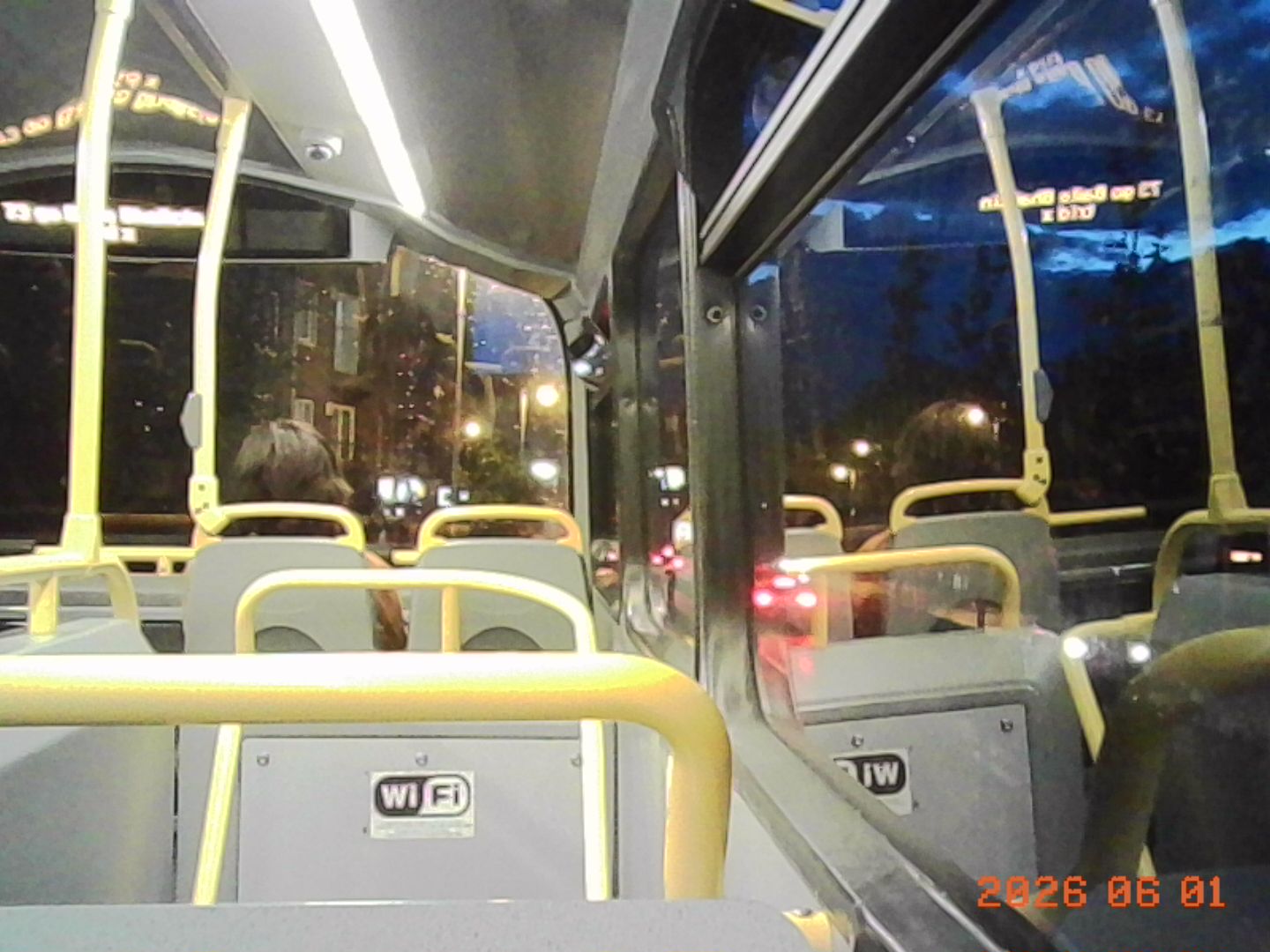
It can also record video and inspired by this video I wanted to create something in the style of the tour diaries I remember seeing from bands in the early/mid 00s on MTV2. But I don't know much about video editing and without getting a bunch of software I'm not going to get far. I also wanted to capture the DVD player aesthetic I remember from then and had the idea of exaggerating that.
So my first port of call as it is for many thing like this, what Python libraries are there for video editing? I found moviepy and it looked to cover the sort of things I wanted to do. Overlay text, merge clips together, create specific clips etc. so I got to work grabbing some samples and hacking them together. The first version just read AVIs from a folder and put them together chronologically, that was pretty easy.
for file in files:
    current = current + 1
    filename = path + os.fsdecode(file)
    if filename.endswith(".avi"):
        clip = VideoFileClip(filename, audio=True)
        clip_list.append(clip)
final_clip = concatenate_videoclips(clip_list)
# without setting the audio codec to aac there was no sound on my iPhone
final_clip.write_videofile(folder + ".mp4", audio_codec='aac')
This is fine but a bit too simple and not quite what I'm going for, so next I wanted to add in a title screen that would be like an old DVD player in style; blue screen with low resolution text. I searched for the shades of blue and found some free to use fonts in that style and a few minutes of playing with moviepy I had some code to generate such a screen.
# Create the blue background
bg_clip = ColorClip(color=(3,0,239), duration=2, size=(width, height))
# Create title text
title_clip = TextClip(font="VCR_OSD_MONO_1.001.ttf", text=title, size=(width, height), font_size=72, color='white', horizontal_align='center', vertical_align='center').with_start(0).with_duration(2)
# Create subtitle text
subtitle_clip = TextClip(font="VCR_OSD_MONO_1.001.ttf", text=subtitle, size=(width, height), font_size=36, color='white', horizontal_align='center', vertical_align='center').with_start(0).with_duration(2).with_position((0,0.1), relative=True)
# Create the 'play' indication
play_clip = TextClip(font="VCR_OSD_MONO_1.001.ttf", text='>', size=(width, height), margin=(10, 10, 10, 10), font_size=72, color='white', horizontal_align='right', vertical_align='bottom').with_start(1).with_duration(1).with_position((-0.1,-0.1), relative=True)
# merge them together and add to the clip list
clip_list.append(CompositeVideoClip([bg_clip, title_clip, subtitle_clip, play_clip]))
That's better, now it has some identity. With the clips being short I wanted to give the idea of someone quickly skipping through chapters on a DVD, at first I was just going to add the skip indication but it was too subtle so I exaggerated it with a brief full blue screen as well. I don't think any DVD player was every like this but it works well to get the aesthetic across. I went back to the original bit of code that puts the clips together and added in the blue frame. This was a bit tricky with making the timing work as I wanted the skip text to appear just before the blue frame and stay during it. When I did this I also decided to add in an end clip, so I kept track of how many files were being put together in total to do that.
total = len(files)
for file in files:
    current = current + 1
    filename = path + os.fsdecode(file)
    if filename.endswith(".avi"):
        clip = VideoFileClip(filename, audio=True)
    if current < total:
        skip_clip = TextClip(font="VCR_OSD_MONO_1.001.ttf", text='skip', size=(width, height), margin=(10, 10, 10, 10), font_size=72, color='white', horizontal_align='right', vertical_align='bottom').with_start(clip.duration-.3).with_duration(.6).with_position((-0.1,-0.1), relative=True)
        bg_clip = ColorClip(color=(3,0,239), duration=.3, size=(width, height)).with_start(clip.duration)
        clip_list.append(CompositeVideoClip([clip, bg_clip, skip_clip]))
    else:
        bg_clip = ColorClip(color=(3,0,239), duration=2, size=(width, height))
        end_clip = TextClip(font="VCR_OSD_MONO_1.001.ttf", text="END", size=(width, height), font_size=72, color='white', horizontal_align='center', vertical_align='center').with_start(0).with_duration(2)
        clip_list.append(clip)
        clip_list.append(CompositeVideoClip([bg_clip, end_clip]))
And now I had everything I wanted for it. Here's a couple I've created so far.
London
Galway Film Fleadh
What I like about this it that I can generate these videos really easily, just put the clips I want into a folder and run this with a title and subtitle and I have my MP4 ready to use. No I do not plan to add a way to mute it and put music over it the horrible sound is part of it.
This is the full script. You need to install ffmpeg and point to it, the font I used is this one. Also thanks to highlightjs for the code blocks.
import os
import sys
from moviepy import *

os.environ["FFMPEG_BINARY"] = "C:\\Users\\paulh\\Documents\\ffmpeg\\bin\\ffmpeg.exe"
os.environ["FFPLAY_BINARY"] = "C:\\Users\\paulh\\Documents\\ffmpeg\\bin\\ffplay.exe"

if len(sys.argv) != 4:
    print("moviemerge.py [title] [subtitle] [clip_folder]")
    exit(0)

title = sys.argv[1]
subtitle= sys.argv[2]
folder = sys.argv[3]
width = 1440
height = 1080

clip_list = []

# Create the blue background
bg_clip = ColorClip(color=(3,0,239), duration=2, size=(width, height))
# Create title text
title_clip = TextClip(font="VCR_OSD_MONO_1.001.ttf", text=title, size=(width, height), font_size=72, color='white', horizontal_align='center', vertical_align='center').with_start(0).with_duration(2)
# Create subtitle text
subtitle_clip = TextClip(font="VCR_OSD_MONO_1.001.ttf", text=subtitle, size=(width, height), font_size=36, color='white', horizontal_align='center', vertical_align='center').with_start(0).with_duration(2).with_position((0,0.1), relative=True)
# Create the 'play' indication
play_clip = TextClip(font="VCR_OSD_MONO_1.001.ttf", text='►', size=(width, height), margin=(10, 10, 10, 10), font_size=72, color='white', horizontal_align='right', vertical_align='bottom').with_start(1).with_duration(1).with_position((-0.1,-0.1), relative=True)
# merge them together and add to the clip list
clip_list.append(CompositeVideoClip([bg_clip, title_clip, subtitle_clip, play_clip]))

path = "clips/{0}/".format(folder)
directory = os.fsencode(path)
files = os.listdir(directory)
files.sort(key=lambda x: os.path.getmtime(directory + x))
current = 0
total = len(files)
for file in files:
    current = current + 1
    filename = path + os.fsdecode(file)
    if filename.endswith(".avi"):
        clip = VideoFileClip(filename, audio=True)
    if current < total:
        skip_clip = TextClip(font="VCR_OSD_MONO_1.001.ttf", text='skip »', size=(width, height), margin=(10, 10, 10, 10), font_size=72, color='white', horizontal_align='right', vertical_align='bottom').with_start(clip.duration-.3).with_duration(.6).with_position((-0.1,-0.1), relative=True)
        bg_clip = ColorClip(color=(3,0,239), duration=.3, size=(width, height)).with_start(clip.duration)
        clip_list.append(CompositeVideoClip([clip, bg_clip, skip_clip]))
    else:
        bg_clip = ColorClip(color=(3,0,239), duration=2, size=(width, height))
        end_clip = TextClip(font="VCR_OSD_MONO_1.001.ttf", text="END", size=(width, height), font_size=72, color='white', horizontal_align='center', vertical_align='center').with_start(0).with_duration(2)
        clip_list.append(clip)
        clip_list.append(CompositeVideoClip([bg_clip, end_clip]))

final_clip = concatenate_videoclips(clip_list)
final_clip.write_videofile(folder + ".mp4", audio_codec='aac')